If you get the message that your Oracle Apex account is locked because the password has been entered incorrectly then you have a number of ways to unlock and reset the account password.
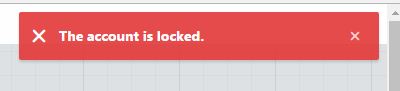 |
| Oracle Apex admin account locked |
If you know the email address that was registered to the Apex workspace then you can click the link below the Sign In button.
 |
| How to Unlock/Reset Apex User Account |
Unfortunately this option doesn't always work and might not be relevant if you know the password for the account and just need to remove the "locked" flag against the account.
If you have access to the underlying tables as SYS or other suitable Oracle user then find the appropriate Apex schema (APEX_050000 for Apex 5) and look for table WWV_FLOW_FND_USER.
 |
| Oracle apex WWV_FLOW_FND_USER reset account |
If you use a tool such as TOAD or SQL Developer then you can navigate to the columns ACCOUNT_LOCKED, FAILED_ACCESS_ATTEMPTS and update the values so that the account is no longer locked and can be used for normal login.
Set the value in these columns:
ACCOUNT_LOCKED to N
FAILED_ACCESS_ATTEMPTS to 0 (zero).
 |
| ACCOUNT_LOCKED, FAILED_ACCESS_ATTEMPTS |
As long as you know the correct password for the workspace you will then be able to login as normal to the Apex admin screens.


